Color Value Introduction
Color Value is a widget designed to match the Ethos’s Value widget. In its most basic form, it is almost indistinguishable. from the original.
Minimum and Maximum
Section titled “Minimum and Maximum”Set the source to be a telemetry sensor, then it can output the minimum and the maximum inside widget’s output:
But if you prefer classic output, turns Minimum and Maximum to OFF
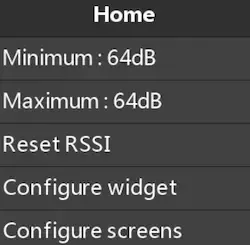
Then you can access those values from the contextual menu of the widget.
Add some colors
Section titled “Add some colors”The UI of the widget is very simple to understand, here we are using a RxBatt Source, and we add color when below certain thresholds. You can play with the simulator by changing the source value (top right) or by changing the thresholds in the configure panel.
Add some background colors
Section titled “Add some background colors”If you need a vibrant alert, why not add a red background: Try to reduce the value of the source below 3.5V.